Virtual Staging for Empty Rooms
Add furniture to an empty-room photo for a furnishing concept, client presentation, or property listing. Review the result against the original photo before sharing it.
Sign in to get 2 free watermarked images, shared across all three tools. Paid results have no watermark. Need images for a single listing? One-time packs start at $9.99 for 30 credits. No subscription required.
This tool adds furniture to empty-room photos. It is not a guaranteed furniture-only edit and may change other visual details.
Sign in to get 2 free image generations shared across all three tools. Free results include a watermark.
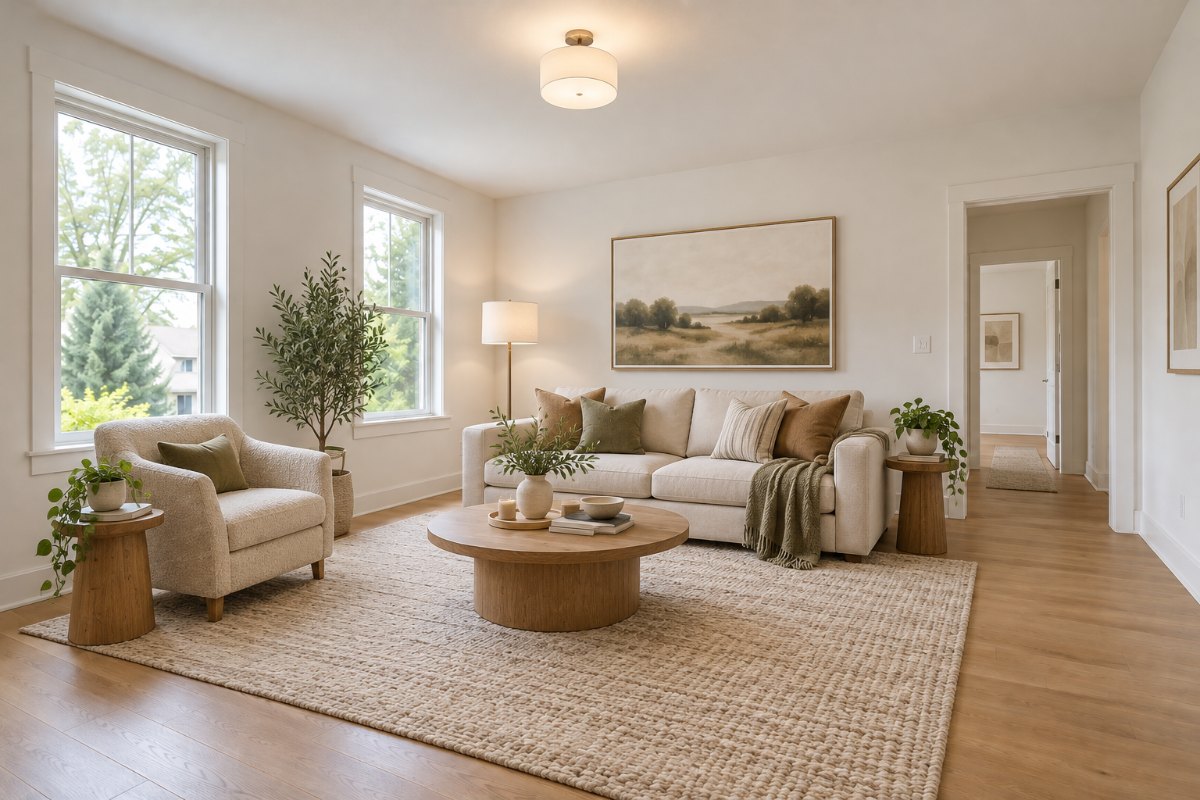 RoomGlint result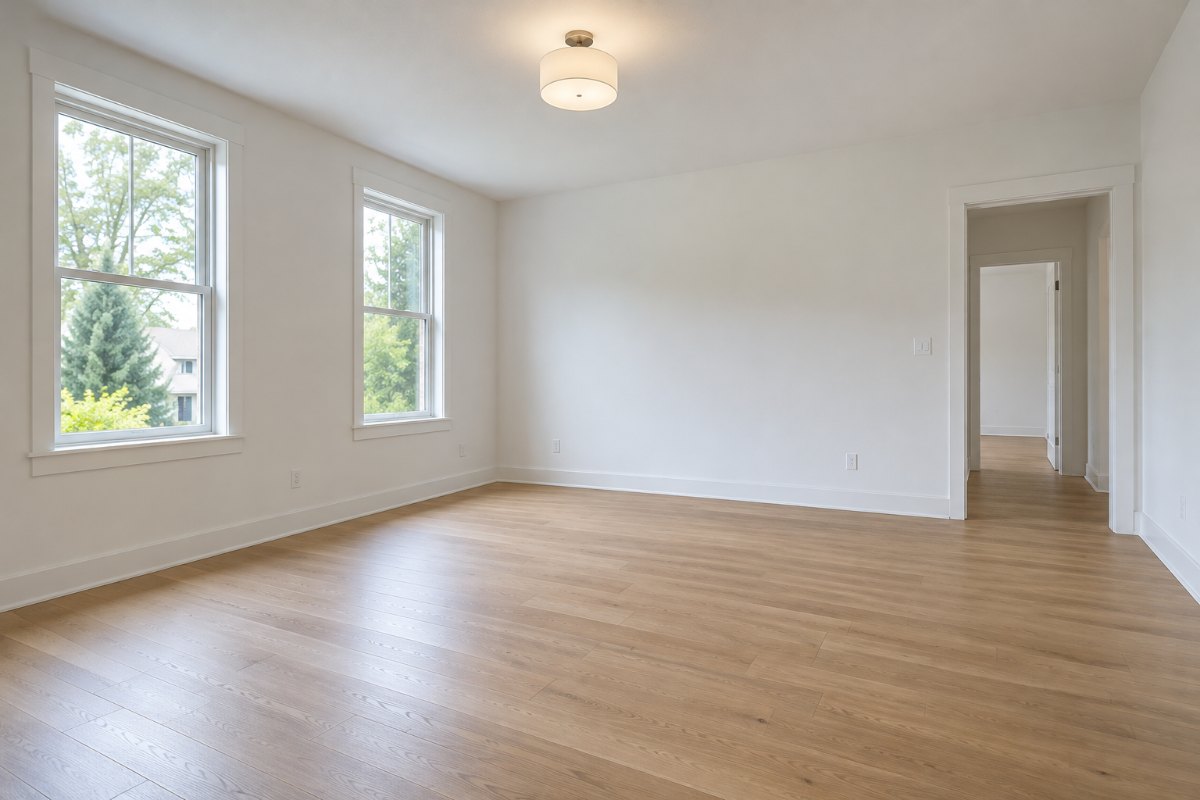
Show How an Empty Space Could Be Furnished
An Empty Living Room
Compare the original space with a furnished concept. Check openings, floor appearance, and perspective.
An Empty Bedroom
Explore a bedroom setup while reviewing how the generated furniture fits the visible space.
An Empty Dining Area
See a possible furniture arrangement without treating the result as a measured floor plan.
How to Virtually Stage an Empty Room
Upload the Original Photo
Choose a JPG, PNG, or WebP image up to 10 MB. Start with an empty-room photo rather than a native model file.
Generate a Furnishing Concept
Select the room type and furniture style, then submit. Processing time varies. You can check the generation status on this page.
Check Before Publishing
Compare the result with the original. Review walls, windows, doors, flooring, proportions, and perspective. Add any disclosures required by your listing platform or local rules.
Built for Furnishing Concepts—not Property Alteration Claims
For Listings and Client Presentations
Use staged images to show a possible way to furnish an empty room. Commercial use is allowed under our Terms.
Do Not Hide or Misrepresent the Property
Do not use generated changes to conceal defects or imply that furniture, finishes, or structural features are included when they are not.
Review More Than the Furniture
AI may change flooring, openings, framing, or viewpoint. RoomGlint does not provide a guaranteed furniture-only or architectural-lock mode.
Virtual Staging: Key Facts
- Good fit for
- Adding furniture to empty-room photos for furnishing concepts, client presentations, and property listings.
- Input
- An empty-room photo in JPG, PNG, or WebP format, up to 10 MB.
- Output
- An image with AI-generated furniture. Paid results have no watermark.
- Free trial
- 2 free watermarked images after signup, shared across all three RoomGlint tools.
- One-time purchase
- $9.99 for 30 credits or $24.99 for 90 credits. No subscription required. Credits expire one year after purchase.
- Monthly plans
- $19 for 100 credits per month or $39 for 250 credits per month.
- Commercial use
- Property-listing use is allowed, subject to the Terms. You must follow your listing platform’s rules and make required disclosures.
- Important limits
- This is not a human editing service or a guaranteed furniture-only edit. Flooring, openings, perspective, and other details may change.
Virtual Staging Without a Required Subscription
One-Time Credit Packs
Get 30 credits for $9.99 or 90 credits for $24.99. That works out to about $0.33 or $0.28 per generated image when the full pack is used. Credits expire one year after purchase.
Monthly Plans for Ongoing Use
Starter includes 100 credits for $19 per month. Pro includes 250 credits for $39 per month. Subscription credits expire each billing period and do not roll over.
Each new generation uses 1 credit. These prices cover AI-generated images, not a human editing or revision service.
Not Starting with an Empty Room?
To change the style, furniture, or finishes of an existing room, use AI Room Design. To create a realistic concept from a white model or model screenshot, use AI Rendering.
Virtual Staging Questions
Can I use a staged image in a property listing?
Yes. Commercial use includes property listings, subject to our Terms. You are responsible for reviewing the image, following the listing platform’s rules, and making required disclosures.
Will the original flooring stay unchanged?
Not necessarily. RoomGlint aims to preserve the room’s structure, but flooring and other details may change. Compare the result with the original before using it.
Does RoomGlint offer furniture-only staging?
It offers a task designed to add furniture to empty rooms, but it does not guarantee that furniture will be the only change.
Can I remove existing furniture first?
Furniture removal is not a dedicated, validated RoomGlint task in the current version. Start with an empty-room photo for virtual staging.
Are staged images automatically compliant with MLS rules?
No. Commercial-use permission does not establish compliance with a particular MLS or listing service. Check the rules that apply to your listing.
Is a human editor included?
No. RoomGlint provides AI-generated images. The listed credits do not include a human editing or revision service.
Will several photos of the same property show exactly the same furniture?
That is not guaranteed. Separate generations may produce different furniture and visual details. Do not assume consistent furniture across multiple views.