 OriginalResult
A Kitchen Refresh
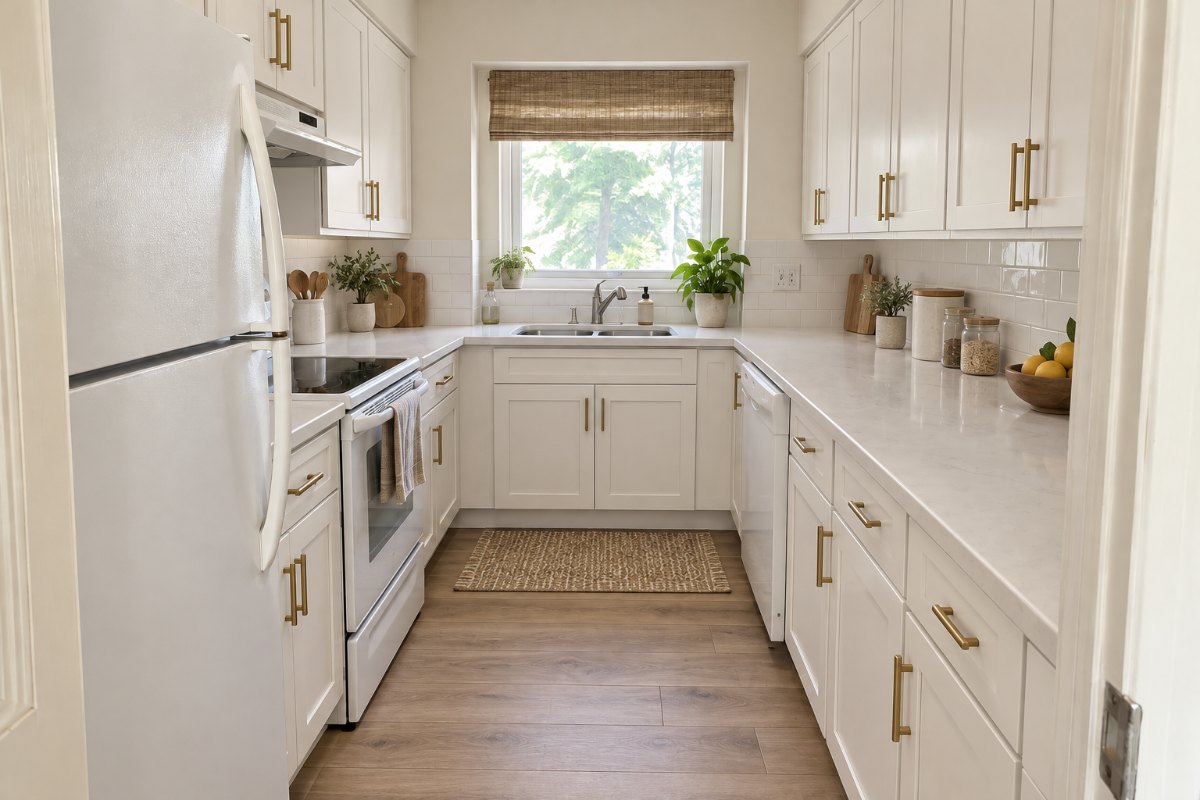
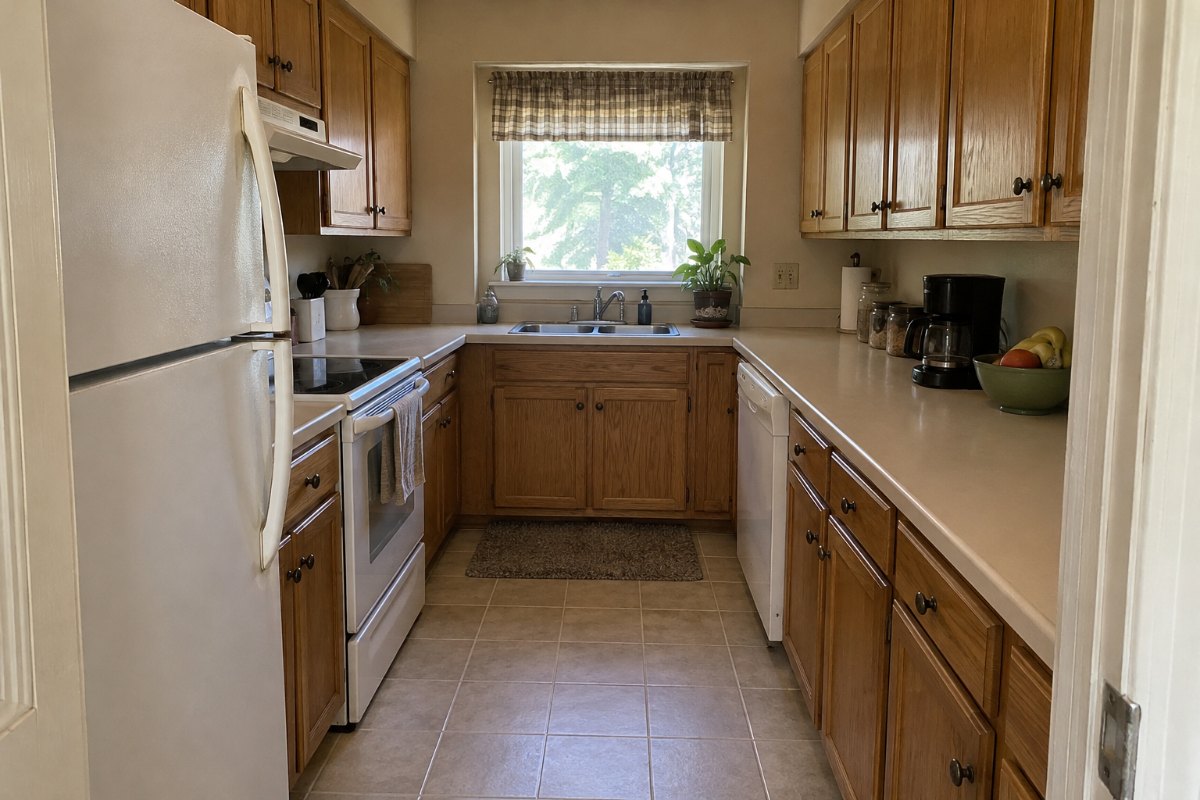
Compare new cabinet colors, countertops, and lighting with the original view. Check that the windows, appliances, and layout still match.
Explore new cabinet colors, countertops, backsplashes, and lighting using a photo of your kitchen. RoomGlint aims to keep the layout, windows, and appliances in place, but the result is a concept image, not a measured kitchen plan.
Sign in to get 2 free watermarked images, shared across all tools. Paid results have no watermark. Planning one kitchen update? Buy a one-time credit pack—no subscription required.
Your description guides the design. Specific products, materials, and appliance models are not guaranteed.
Sign in to get 2 free image generations shared across all tools. Free results include a watermark.
OriginalRoomGlint resultOriginalResultCompare new cabinet colors, countertops, and lighting with the original view. Check that the windows, appliances, and layout still match.
Generate the same kitchen in a Modern, Scandinavian, or Traditional style to compare directions before you choose finishes.
Describe cabinet colors, countertop materials, or hardware in your own words. The description guides the result, but exact products are not guaranteed.
Use a well-lit photo that shows the cabinets, countertops, and floor. RoomGlint accepts JPG, PNG, and WebP files up to 10 MB.
Keep Kitchen as the room type, select a style, then add any preferences. Generate an image using 1 credit.
Check the cabinets, appliances, sink, windows, and viewpoint against your photo before using the concept.
See how different cabinet colors, countertops, and backsplashes could look in your own kitchen before you visit a showroom.
Bring a concept image to a kitchen designer or contractor to show the look you want. Commercial use is allowed under our Terms.
Images do not include measurements, cabinet sizes, or costs. AI may move or change appliances, the sink, windows, or the layout, and generated materials may not match real products.
Get 30 credits for $9.99 or 90 credits for $24.99. Each generated image uses 1 credit. Credit-pack balances expire one year after purchase.
Starter includes 100 credits for $19 per month. Pro includes 250 credits for $39 per month. Monthly credits expire at the end of the billing period and do not roll over.
Credits also work with AI Room Design, Virtual Staging, AI Rendering, and AI Landscape Design.
Compare Plans and Credit PacksUse AI Room Design for living rooms, bedrooms, and other rooms. Use Virtual Staging to add furniture to an empty-room photo. Use AI Landscape Design to explore ideas for a yard or patio.
Yes. Upload a JPG, PNG, or WebP photo of your kitchen, up to 10 MB.
RoomGlint aims to keep the layout, windows, and appliances in place, but that is not guaranteed and there is no structural lock. Compare each result with your original photo.
You can describe colors and materials, and the description guides the result. Generated cabinets, countertops, and appliances are visual ideas and are not matched to real products or brands.
No. The output is a concept image. It does not include dimensions, a cabinet layout, a materials list, or a cost estimate.
No. RoomGlint runs in the browser on a phone or computer. There is nothing to download.
You get 2 free watermarked images after signing in, shared across all tools. After that, each image uses 1 credit from a monthly plan or a one-time pack.
Yes. One-time packs contain 30 credits for $9.99 or 90 credits for $24.99. No subscription is required, and pack credits expire one year after purchase.