 OriginalResult
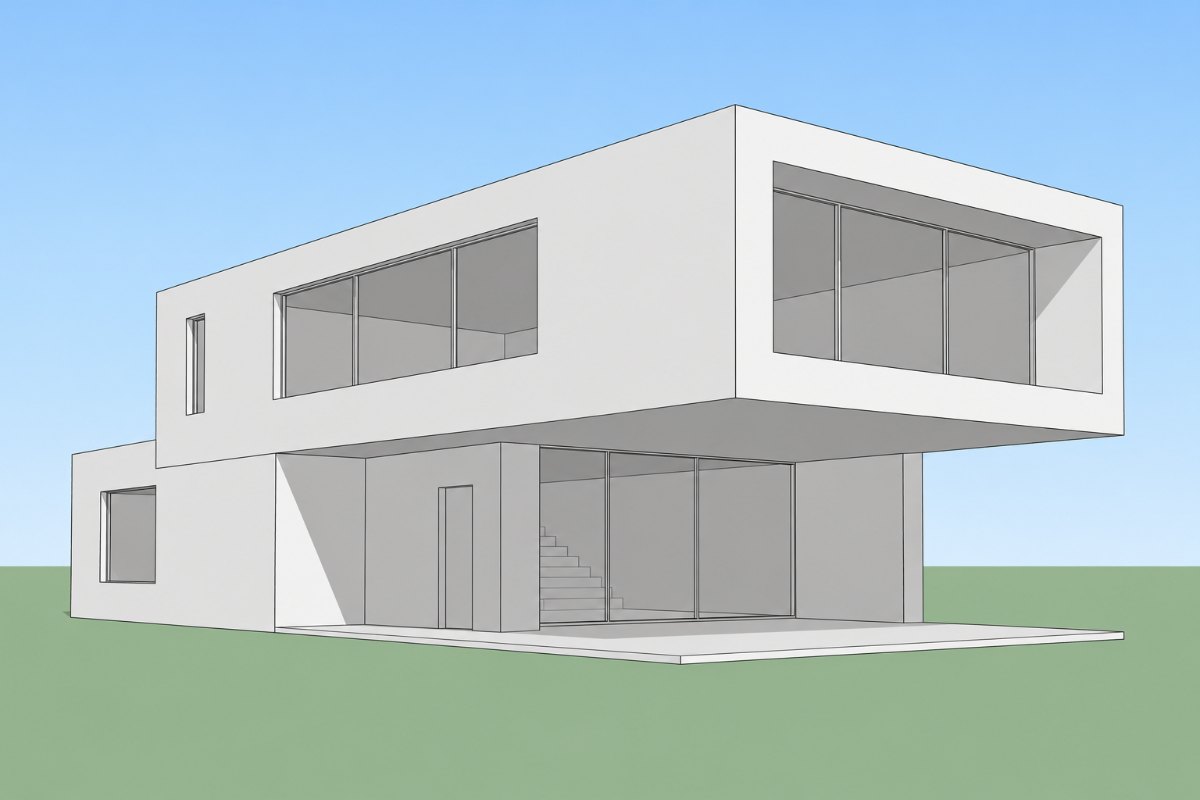
A SketchUp Model View
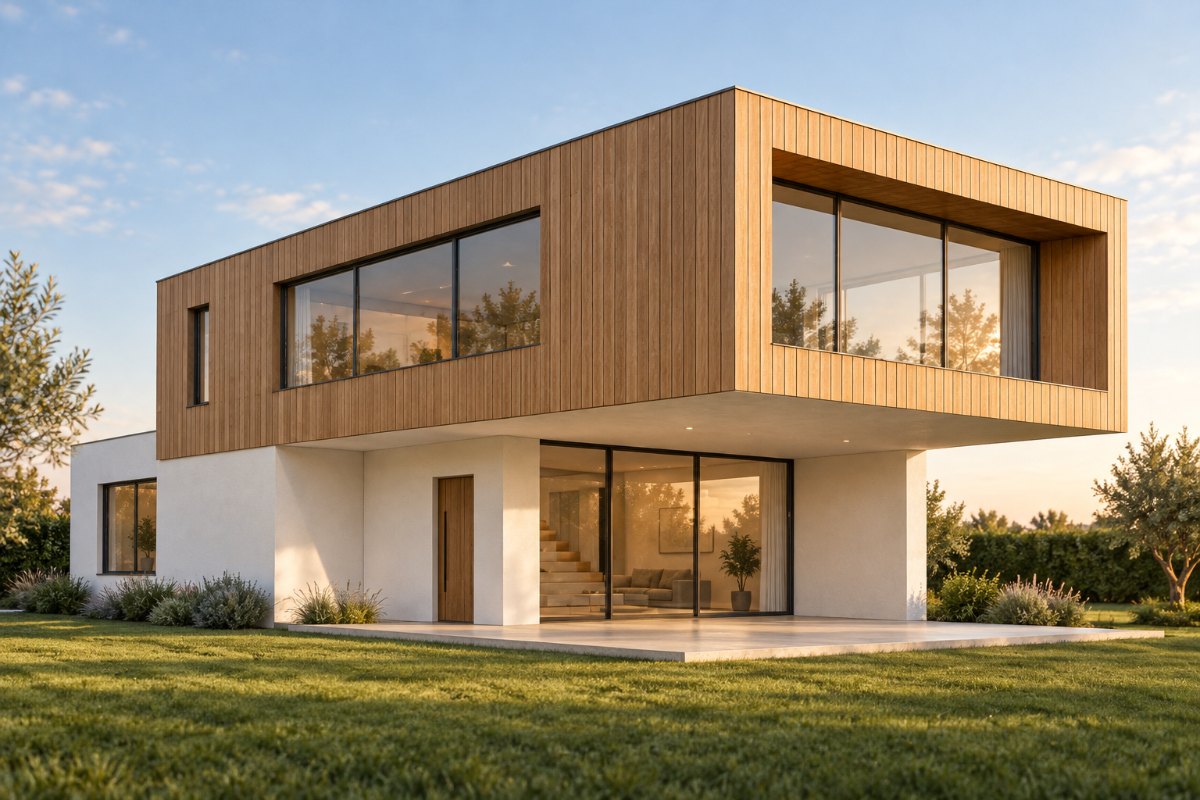
Compare a realistic concept with the exported model view. Check that walls, openings, and proportions still match your model.
Export a view from SketchUp as an image, upload it, and get a realistic concept image. RoomGlint works from screenshots in the browser. It is not a SketchUp extension and does not open .skp files.
Sign in to get 2 free watermarked images, shared across all tools. Paid results have no watermark. Need renders for one project? Buy a one-time credit pack—no subscription required.
Upload an image exported from SketchUp or a screenshot of your model. Native .skp files are not supported.
Your description guides the visual interpretation. Exact materials, geometry, framing, and camera angle are not guaranteed.
Sign in to get 2 free image generations shared across all tools. Free results include a watermark.
OriginalRoomGlint resultOriginalResultCompare a realistic concept with the exported model view. Check that walls, openings, and proportions still match your model.
Choose Interior for a room view or Exterior for a building view, then describe the materials and lighting you want to explore.
Use a simple model with plain faces. You can explore materials and mood before you spend time on textures and lighting in a rendering program.
Set up the camera view you want, then save it as a PNG or JPG. In SketchUp for desktop this is File > Export > 2D Graphic. A screenshot also works.
Upload the image, select the scene type, and describe the look you want. Generate an image using 1 credit.
Check geometry, openings, proportions, framing, and viewpoint against the SketchUp view. Use the result as a concept image, not as an exact render of the model.
See a realistic interpretation of a massing model or interior view without setting up materials, lights, and render settings.
Commercial use allows you to include generated images in client presentations. Explain when an image is an AI-generated concept rather than a precise model render.
RoomGlint does not run inside SketchUp, read .skp files, or return a 3D model. It cannot guarantee that the geometry and camera angle of your view stay unchanged.
Get 30 credits for $9.99 or 90 credits for $24.99. Each generated image uses 1 credit. Credit-pack balances expire one year after purchase.
Starter includes 100 credits for $19 per month. Pro includes 250 credits for $39 per month. Monthly credits expire at the end of the billing period and do not roll over.
Credits also work with AI Rendering, AI Room Design, Virtual Staging, and AI Landscape Design.
Compare Plans and Credit PacksUse AI Rendering with a screenshot from any modeling program. Use AI Room Design to explore changes to a photo of a real room. Use AI Landscape Design to redesign a yard or patio from a photo.
No. RoomGlint is a separate website that works from images. There is nothing to install in SketchUp.
No. Export the view as a JPG or PNG, or take a screenshot, and upload that image. Files can be up to 10 MB.
Any version that lets you export an image or take a screenshot of the view, because RoomGlint only uses the image.
Not necessarily. RoomGlint aims to preserve the structure of the view, but exact geometry and camera angle are not guaranteed. Compare the result with your model view.
You can describe them in the Visual Direction field, and the description guides the result. Exact materials and lighting are not guaranteed.
No. SketchUp is a trademark of Trimble Inc. RoomGlint is an independent tool and is not affiliated with or endorsed by Trimble.
You get 2 free watermarked images after signing in, shared across all tools. After that, each image uses 1 credit from a monthly plan or a one-time pack.